How to Hide Your IP Address with MrScraper
GuideLearn how to hide your IP address and protect your online privacy with MrScraper. Discover simple methods like using NordVPN and proxies to stay secure, avoid bans, and access restricted content.
In today’s world, privacy and online security have become a major concern for everyone. From accessing blocked content to protecting your identity online, hiding your IP address can be crucial. Whether you're avoiding geo-restrictions, protecting your data from third-party trackers, or maintaining anonymity, several effective ways to hide your IP address exist.
In this blog post, we’ll explore why it’s important to hide your IP address, the methods available, and how MrScraper.com can help you achieve this while scraping data from websites.
Table of contents
- Why Hide Your IP Address?
- Methods to Hide Your IP Address
- How to Hide Your IP Address Using MrScraper
- Conclusion
Why Hide Your IP Address?
Your IP address acts as your digital fingerprint. It allows websites to identify your location and, in some cases, block you from accessing content based on your region or even ban your IP for high-frequency activity. Hiding your IP address protects you from these limitations and enhances your privacy by keeping your browsing habits anonymous.
Some common reasons to hide your IP address include:
- Bypassing geo-blocked content
- Avoiding IP bans from websites (like in our recent blog about resolving IP bans)
- Enhancing online security and privacy
- Avoiding targeted ads and tracking
Methods to Hide Your IP Address
There are several ways you can hide your IP address:
1. Use a VPN (Virtual Private Network)
A VPN routes your internet traffic through an encrypted server, masking your real IP address with one from the VPN server. This process not only enhances your online privacy but also allows you to choose from various server locations, giving you access to region-restricted content. For instance, NordVPN offers a wide range of server locations globally, making it a popular choice for securely browsing and unlocking restricted sites.
2. Proxy Servers
A proxy server works similarly to a VPN by masking your original IP address. However, while VPNs encrypt your traffic, most proxy servers do not, which might make them less secure. Proxies are still useful when you want to access geo-blocked content or avoid IP bans without the need for encryption.
3. Tor Browser
Tor is a free browser that anonymizes your web activity by routing your traffic through multiple volunteer-operated servers (or nodes). It’s a highly secure option for maintaining anonymity, but it can be slower due to the layered nature of the traffic relay.
4. Using MrScraper to Hide Your IP Address
MrScraper offers a powerful solution for users looking to scrape data from websites without exposing their real IP address. By using advanced proxy technology, MrScraper ensures that each data scraping session is carried out with a rotating proxy, allowing you to scrape websites without revealing your actual IP. This minimizes the risk of bans or blocks while accessing large amounts of data efficiently.
With MrScraper, you don’t just mask your IP address, but you also enhance the reliability of your scraping tasks by avoiding website bans. Our recent blog post even covers how to handle situations where your IP gets banned – a perfect guide for those facing such issues.
How to Hide Your IP Address Using MrScraper
Here’s how you can hide your IP address using MrScraper’s built-in proxy feature:
1. Sign Up for MrScraper
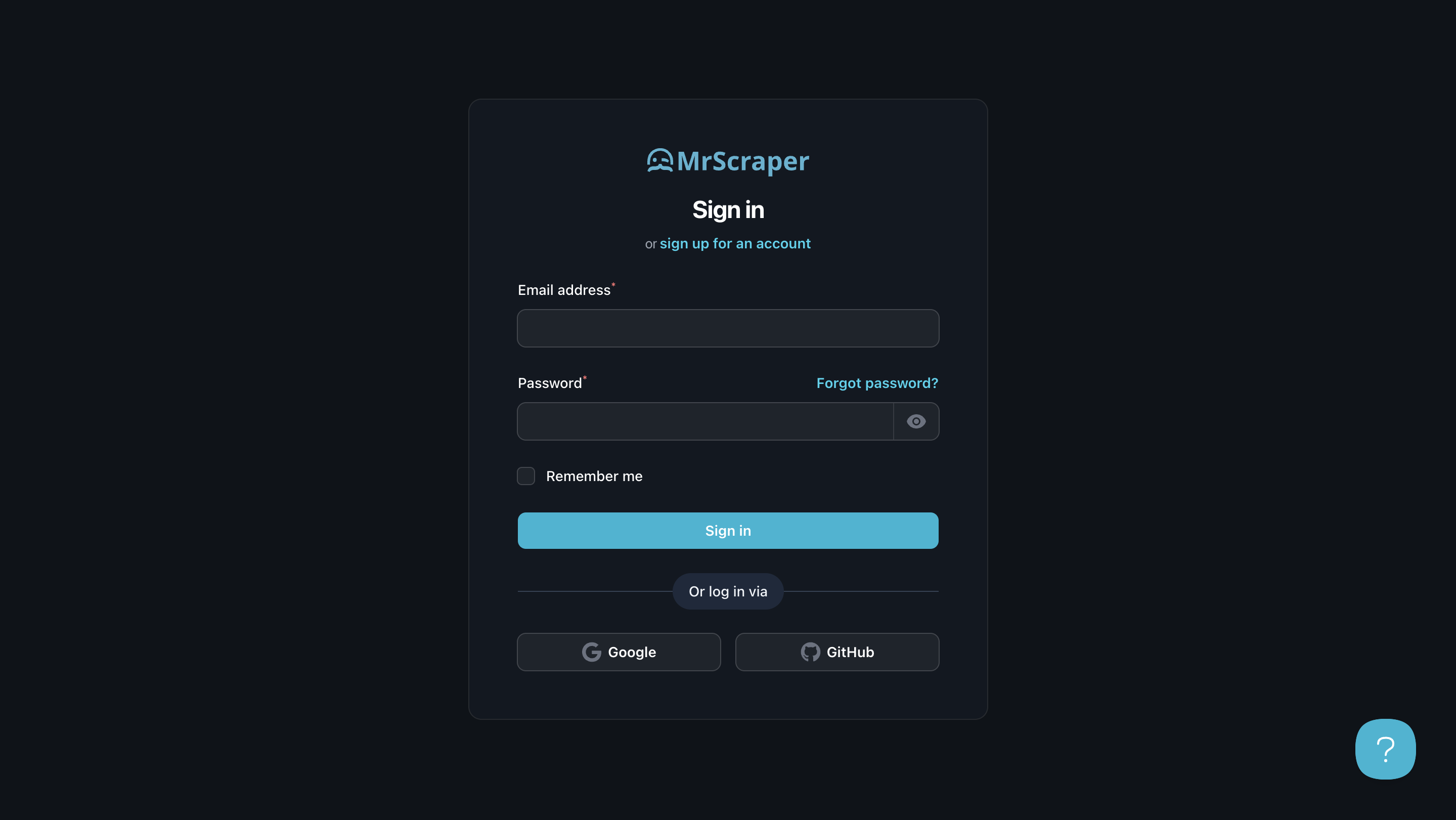
Head over to MrScraper and sign up for an account. After registering, log in to the dashboard where you can access all the scraping tools you need.
 2. Configure Scraper
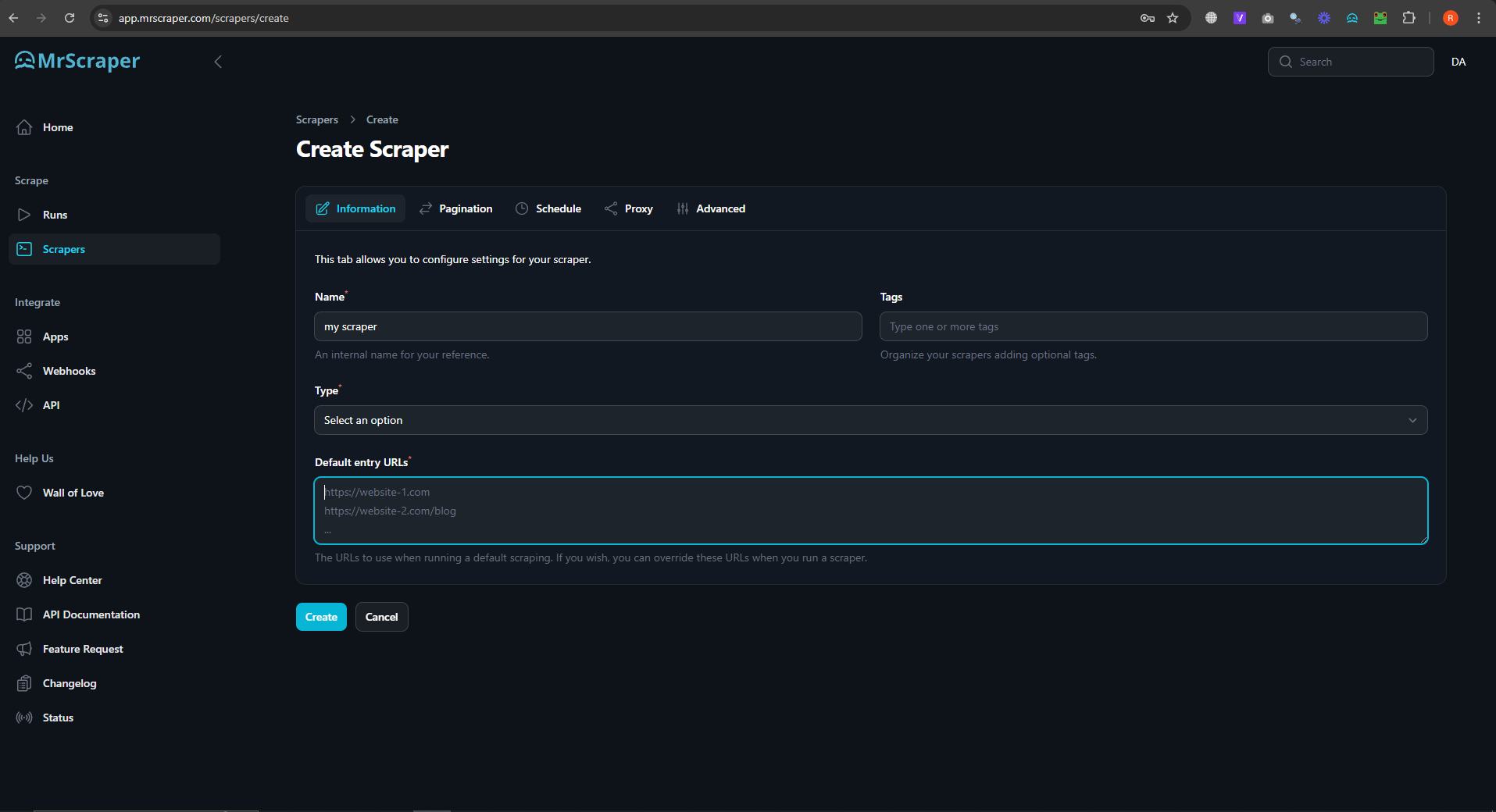
Set up a scraper project with your target website and data requirements.
3. Activate IP Rotation
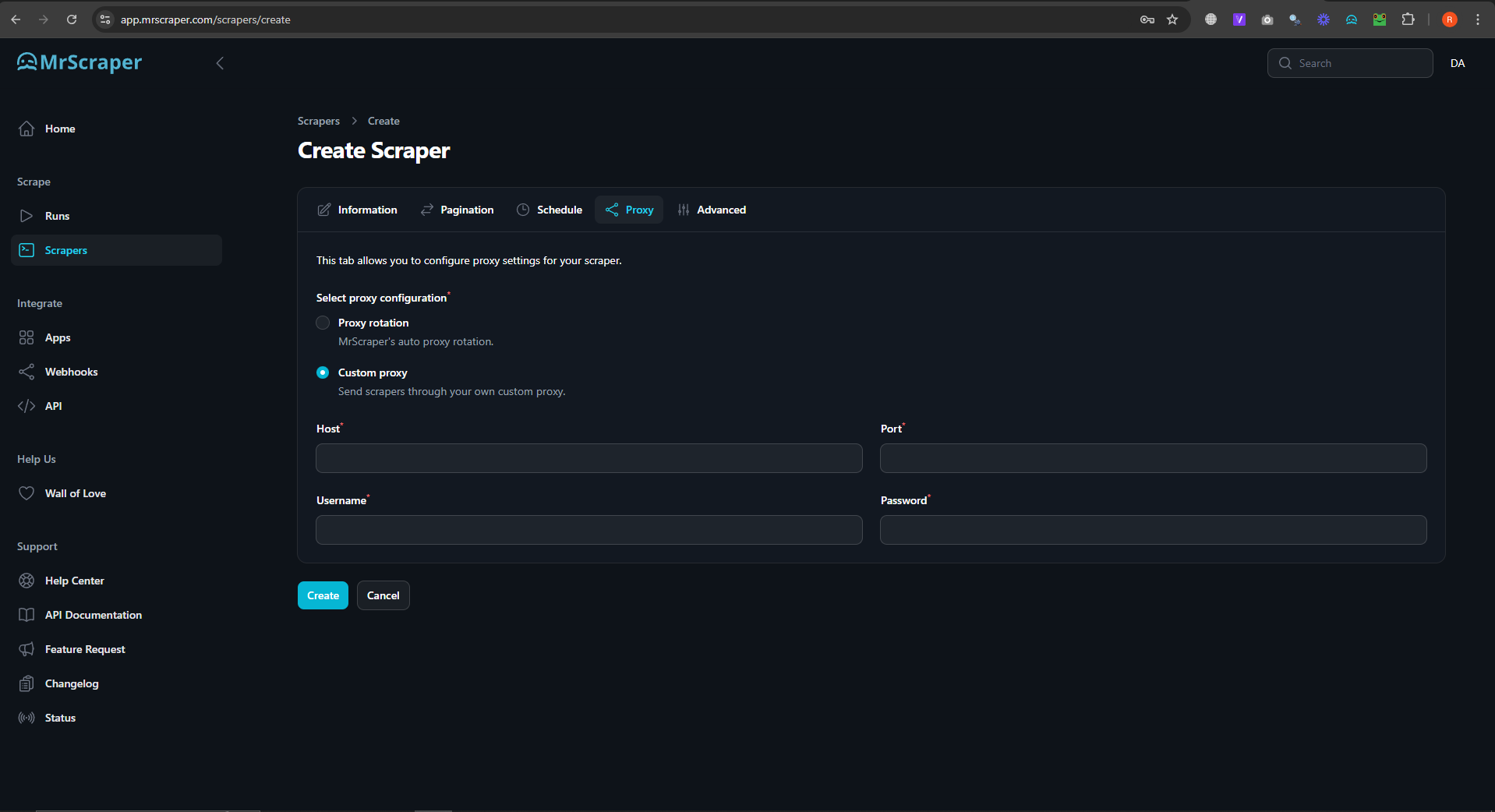
Enable the IP rotation feature to alternate IP addresses. You can use our config Proxy rotation or your own best config by using option in Custom proxy.
4. Manage User-Agents
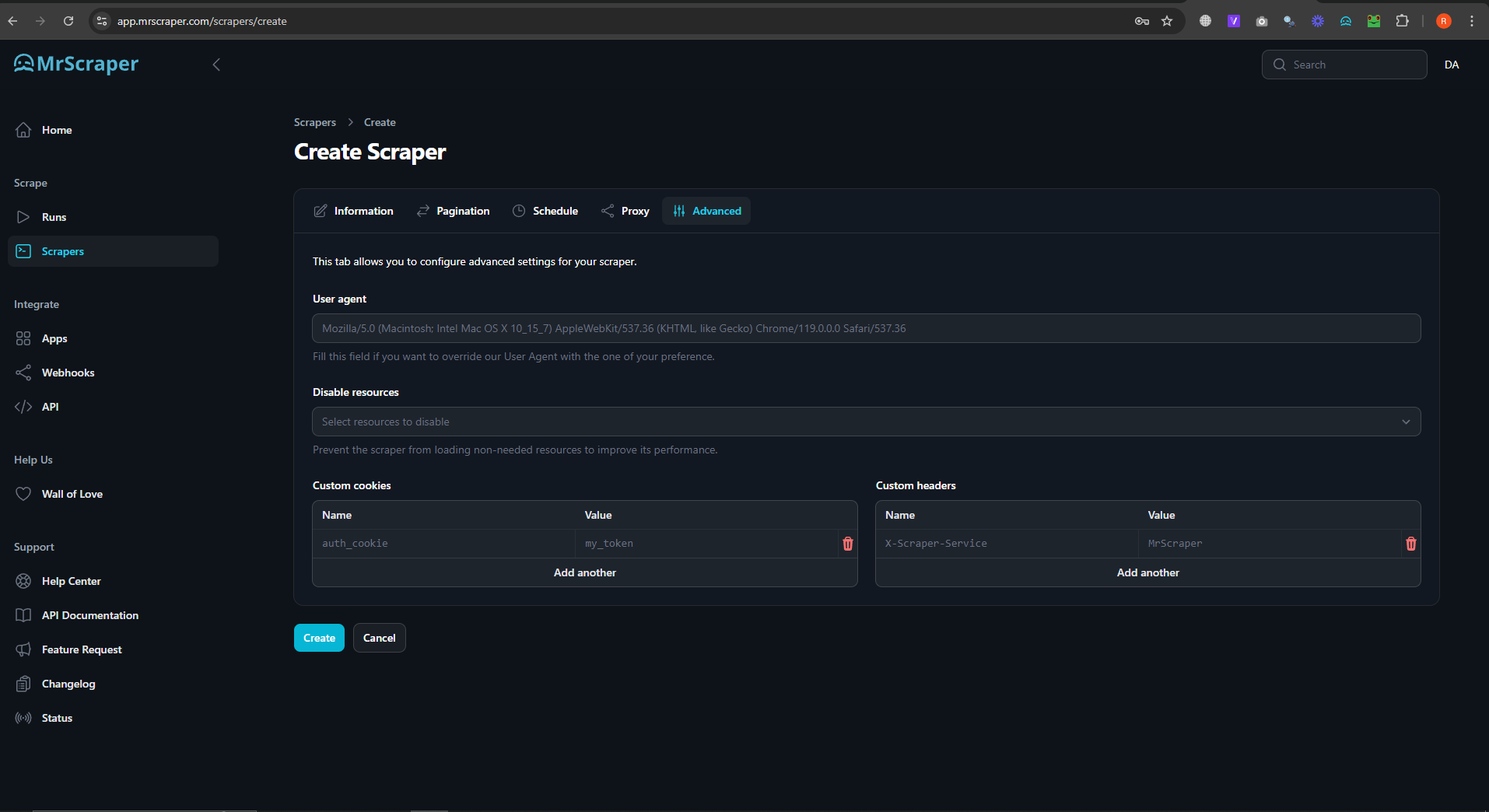
Customize user-agent settings for each request.
 5. Start Scraping
Enter the URL of the website you want to scrape. MrScraper will automatically hide your IP address using its proxy system, ensuring you stay anonymous and bypass any IP bans or geo-restrictions.
6. Monitor Your Scraping Activity
MrScraper provides real-time insights into your scraping activity, allowing you to monitor how many requests have been made and how effectively the proxy is working to hide your IP.
Conclusion
Hiding your IP address is crucial for maintaining privacy and accessing restricted content online. Whether you’re using a VPN, proxy, or a service like MrScraper, there are several ways to ensure your IP stays hidden. With MrScraper.com, not only can you scrape data without revealing your IP, but you also avoid the risks of getting blocked by websites.
Ready to protect your privacy and start scraping? Visit MrScraper and use our advanced scraping and IP masking features today!


Find more insights here

The Importance of MAP Monitoring in Today’s E-Commerce Market
Minimum Advertised Price Monitoring helps brands track pricing violations, protect margins, and main...

Data Parsing Explained: Definition, Benefits, and Real Use Cases
Data parsing is the process of extracting and converting raw information into structured data. Learn...

A Practical Guide to Using SEO Proxies for Search Engine Optimization
SEO proxies help marketers collect accurate ranking data, scrape SERPs safely, and perform automated...